Delta Executor Key System Not Working? The Complete 2025 Troubleshooting Guide
Tired of frustrating key system errors that stop you right before you start scripting? You’re not alone. The Delta Executor Key System is a necessary, but often complex, part of the process, and when it fails, it feels like hitting a brick wall.
We’ve analyzed the latest 2025 Delta versions and common failures. The good news is that these problems are almost always fixable. The key system most often fails due to “browser cache, anti-virus conflicts, or using an outdated version”. Follow this guide for a guaranteed fix!

Phase 1: The Delta Executor Key System Checklist (The 3 Quickest Fixes)
Before diving into deep technical solutions, verify these three essential points. They resolve over 80% of all “Key Not Working” complaints.
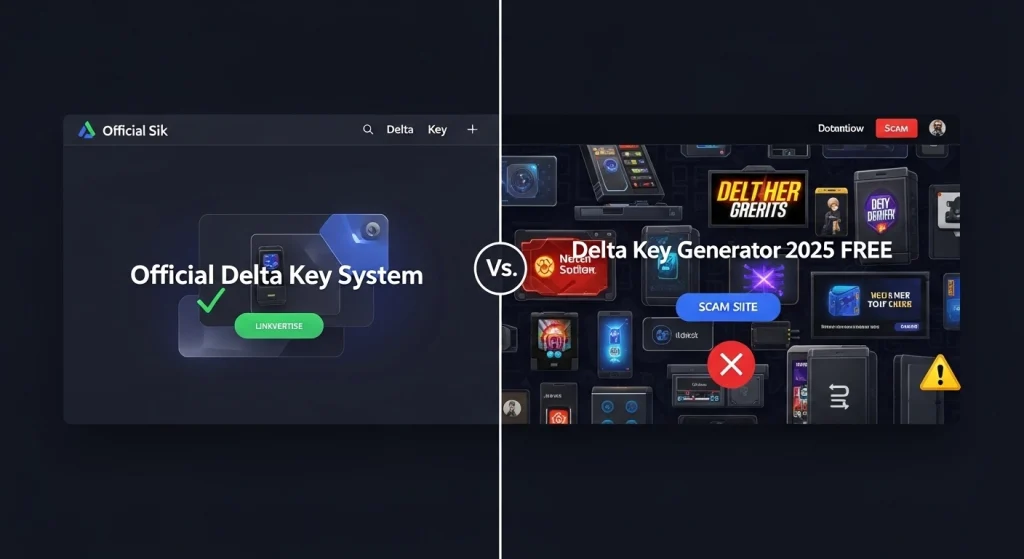
1. You Are Using the Official Link
This is the “\#1 cause of key system failure and security risk”. Many scam sites mimic the official Delta Key page. If you are not using the official link, the key you generate will be instantly rejected by the Delta Executor software.
- Verification: Double-check the URL in your browser. Be wary of any URL that contains typos or redirects multiple times.
- Warning: Key generators, key bypass tools, or ‘free key’ scripts are “always malware or a scam”. Only use the official key delivery method.
2. Ensure Delta Executor is Fully Up-to-Date
If your version of Delta Executor is even a few days old, the internal API that communicates with the Key Server may be outdated. This results in the software rejecting a perfectly valid key.
“Action Step:” Download the very latest installation package from the official source and replace your current version. Do not rely on in-app updates if you are experiencing key issues.
3. Clear Your Browser Cache and Cookies
Cached data from previous key attempts or Linkvertise pages can interfere with the verification cookies required by the key system. A clean slate often resolves stubborn looping errors.
- Open your browser settings (Chrome, Edge, Firefox).
- Navigate to the Privacy and Security or History section.
- Select “Clear browsing data.” Ensure “Cookies and other site data” and “Cached images and files” are selected.
- Set the time range to “All Time”.
- Clear the data, then restart your browser and try the key process again.
Phase 2: Troubleshooting Specific Key Errors
Error 404/Server Not Found (The Connection Problem)
If the key generation page returns a 404 error, the issue is typically not with Delta Executor itself, but with your connection to the key server.
- VPN/Proxy Check: Temporarily disable any VPN or Proxy software. These tools can sometimes block the specific geographical server location of the key system.
- Wait it Out: Key servers experience massive load. If multiple users are reporting downtime, wait 5 to 10 minutes and try again.
“Invalid Key” or “Key Expired” Error
Delta keys are time-sensitive to prevent misuse. They are designed to expire, usually within 2-4 hours of generation.
- Generate a Fresh Key: If it’s been more than an hour since you obtained the key, simply restart the process and get a brand new one.
- Check for Spaces: When copying and pasting, ensure you have not accidentally included any leading or trailing spaces. Even a single extra space will invalidate the key.
The Key System Page Won’t Load/Loops
This looping issue is almost always caused by third-party software blocking essential tracking scripts on the key generation page.
- Ad-Blocker: Temporarily disable your browser’s ad-blocker (uBlock Origin, AdBlock Plus, etc.) only for the official key generation website.
- Antivirus Web Shield: Some aggressive antivirus suites (especially Avast or McAfee) have web shields that block tracking pixels, causing the page to fail. Try temporarily disabling the web shield.
Phase 3: Deep System Checks (Advanced Solutions)
Antivirus Interference: Is Windows Defender Blocking the Key?
Delta Executor is often flagged as a threat due to its nature as an injection tool. This flagging can lead to two problems: the main executable being quarantined, or the system blocking the key file from being written/read.
Critical Action: You must exclude the entire Delta Executor installation folder from Windows Defender (or your third-party antivirus) to ensure stable operation of the key system.
- Open Windows Security.
- Go to Virus & threat protection.
- Under “Virus & threat protection settings,” click Manage settings.
- Scroll down to Exclusions and click Add or remove exclusions.
- Click Add an exclusion and choose Folder.
- Select the folder where Delta Executor is installed (e.g., C:\Users\[YourName]\Delta).

Network Configuration Check: Flushing DNS
If your local DNS cache holds outdated or corrupt routing information for the key server’s domain, you may be unable to connect. Flushing the DNS can solve this immediately.
1. Open Command Prompt as **Administrator**.
2. Type the following command and press Enter:
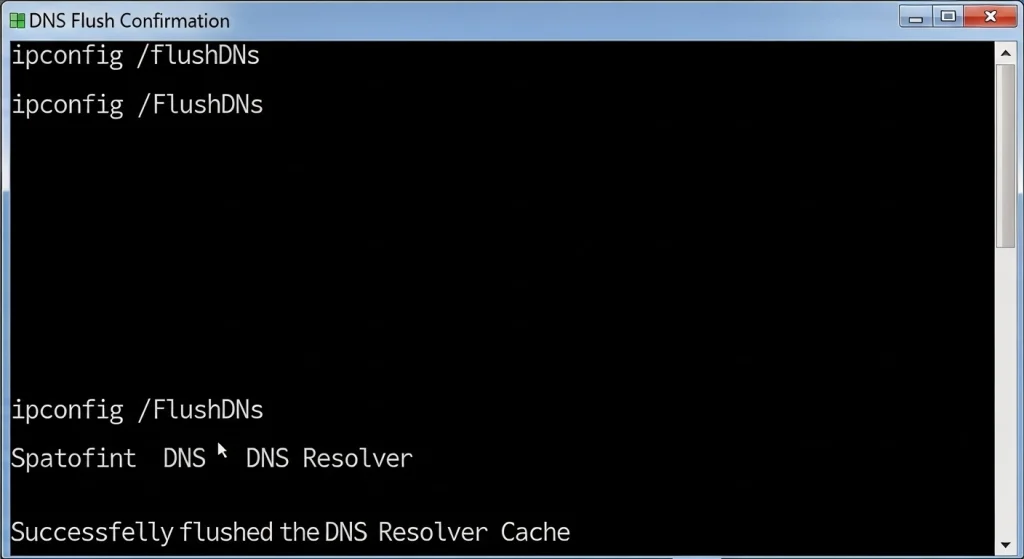
ipconfig /flushdns
You should see a message confirming the DNS Resolver Cache was successfully flushed. Restart the key process.
FAQs: Quick Answers to Key System Questions
How long does a Delta Executor Key last?
Delta Executor keys are typically valid for a period of 24 hours from the moment they are generated. You will need to regenerate a new key the following day to continue using the executor.
Can I use a Delta Key Generator or Key Bypass tool?
Absolutely NOT. Key generators and bypass tools are scams designed to trick you into downloading malware or a virus. They will never provide a working key and pose a major security risk to your PC. Always use the official method.
Why does Delta Executor use a Key System?
The key system is primarily used for monetization and traffic control. By directing users through the Linkvertise process, the developers can earn revenue to support continued development and maintenance of the executor.
Conclusion: You’re Almost There
Most key errors come down to either antivirus interference or an outdated browser cache. By following the comprehensive steps above, especially the exclusion process in Phase 3, you should have successfully resolved your issue and obtained your working key.